Showing posts with label facebook. Show all posts

Friday, 3 June 2016

Top 10 Facebook Tricks You Must Know

Do you surf facebook for hours? And would like to have some additional functions to your tiny world of friends? Well, if yes then you are at the right place. In our today’s article we would be covering few of the best tricks that will make your facebook lot more efficient and joyous. So, let’s then get started:
1. How to type colorful text for your status or chat
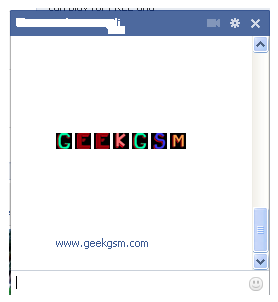
Want to impress your friends with something out of the box? If yes then follow our next steps. For typing any form of text in colorful way just paste following script for each letter: 
[[107015582669715]] = A [[116067591741123]] = B [[115602405121532]] = C [[112542438763744]] = D [[115430438474268]] = E [[109225112442557]] = F [[111532845537326]] = G [[111356865552629]] = H [[109294689102123]] = I [[126362660720793]] = J [[116651741681944]] = K [[115807951764667]] = L [[106596672714242]] = M [[108634132504932]] = N [[116564658357124]] = O [[111669128857397]] = P [[107061805996548]] = Q [[106699962703083]] = R [[115927268419031]] = S [[112669162092780]] = T [[108983579135532]] = U [[107023745999320]] = V [[106678406038354]] = W [[116740548336581]] = X [[112416755444217]] = Y [[165724910215]] = Z
colorful-facebook-status-trick
2. Creating your own chat 
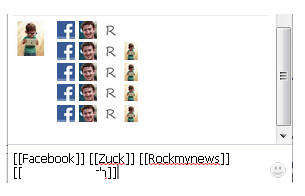
Want to chat with your friend in a different way? Well, you can if you want to. We have a trick by which you talk via pictures. You don’t need to upload them need to type them. For instance you want to show something related to mr.zuck, one of your friends, so, can show his profile pictures and type something with it. Just type the username in this way [[Zuck]] and profile picture would be sent in the chat.
create-your-own-facebook-chat
3. How to upload your pictures from flickr to Facebook 
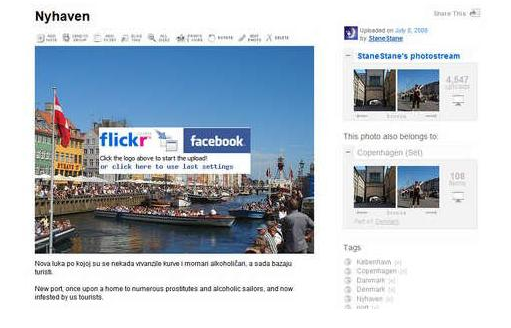
If you have some albums on flickr and want to share them over facebook then your problem would be solved now. You should download flikr2facebook, for this transfer this program will automatically transfer all the albums or photos you want to transfer.
flickr2facebook 4. Scheduling facebook messages
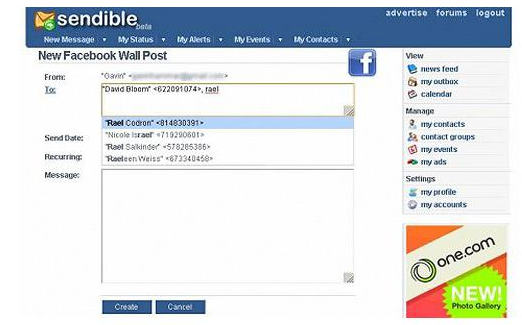
If you are using more than one messengers at a time or want to schedule your facebook messages then you should click here, you would here find a program for scheduling all you message at a single time. It’s fantastic software for people who want to deal people talking from more than one messenger.
sendible 
5. How to hide your facebook status from the friends you want
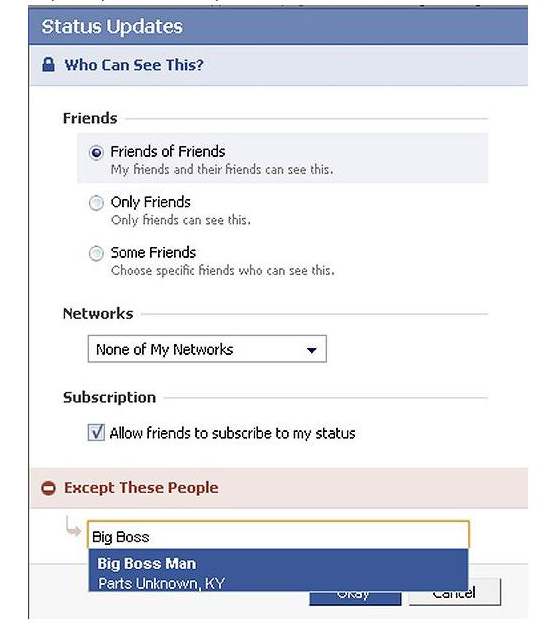
For hiding your status you need to need to change your privacy settings for this you will first go to privacy setting and from these go to profile tab. There you should go for status update setting there a page will open and you can under customize you can name the person you want to hide your status from.
hide-your-facebook-status 
6. Removing unwanted ads on Facebook
If you want to get rid of ridiculous advertisement on facebook, then you should try Facebookcleaner it removes all the unwanted advertisements which makes your browser slow and makes the browsing faster too.
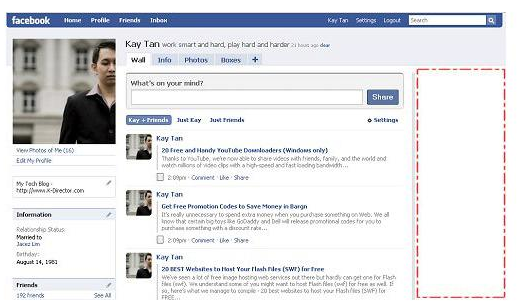
Remove Facebook ads trick
7. Access your facebook account from your desktop 
Don’t have time to visit facebook regularly now? Now get your facebook chatting on your desktop simply download Gabtastik and you can chat from your desktop with your friends.
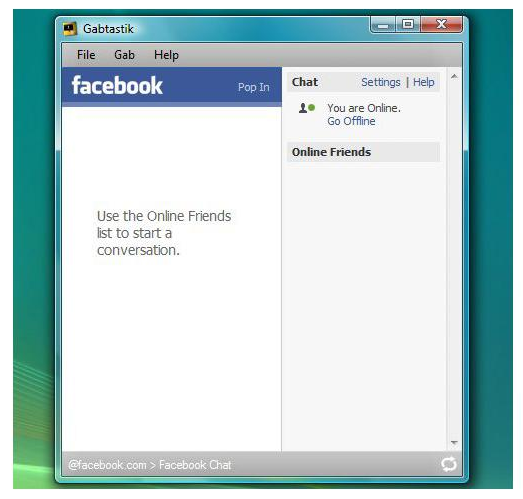
gabtastik-script-fcebook 
8. How to create Quiz on Facebook
Have any question in your mind? Want to know it from your friend via quiz? Then there is no better place then facebook by going to LOLapps you can get a free quiz generator and have fun with your facebook friends.
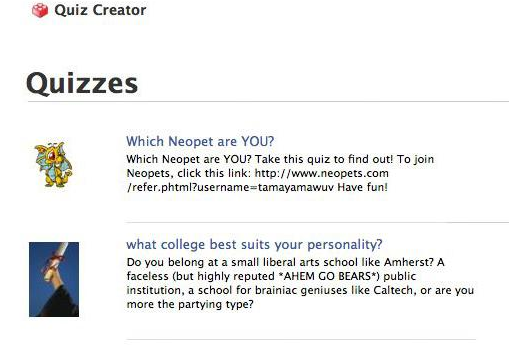
Facebook-quiz-creating-tricks
9. How to display offline status to some of your friends
Don’t want to talk to some of your friends while remaining online? Well, you can do it now, it simple to do……….. Just go to your chat box and find a star there click it and go to advanced settings here you in the first write the profile names of the people whom you want to display offline status. As you write the names you would be shown offline in there chat box and originally you would remain online.
10. How to set your status remaining online on firefox
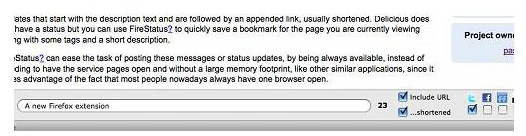
Using multiple social network and don’t have time to set the status regularly then useFireStatus, you can easily set your status with one button click to the leading social media sites. This will bring more efficiency and joy to your browsing experience.Firefox-status-facebook
So what are you waiting for, try these tricks incase they are new for you and enjoy :D 

Thursday, 2 June 2016

Seeking an Alternative to Facebook Messenger? Look No Further than Chit Chat

chit chat messenger the best alternative of facebook
Over the past three years Facebook has extended its dominance of social networking from that of being a medium of news and picture exchange to web-based chatting, more commonly known as instant messaging.

So quick has Facebook managed to establish Facebook chat as a dominant network that it has caught many of the established players such as AIM, MSN Messenger and Digsby off guard. In fact they have been caught so far off guard that these networks are now shadows in terms of popularity of their former selves. Indeed, MSN Messenger is closing down next month (May 2013).

Using the Facebook Chat Network

Whilst Facebook chat is indeed a dominant chat network, and Facebook does now offer the ability to chat on your desktop there are alternatives to the Facebook Messenger program.

There are many reasons as to why you might want to change from using Facebook’s own desktop Messenger application:

  • Signing in problems: Often due to the “web” phrasing connection nature strategy of the Facebook Messenger application, sign in problems can and do occur.  
  • Privacy concerns: Now that Facebook has become stock market listed there is a growing pressure to monetize apps to a greater extent to achieve greater share-holder value year on year. There is a conflict in interest between the Facebook users and the Facebook shareholders. 
  • Advertisement intrusion: Even though at the time of writing Facebook Messenger is free of advertising, we’ve found that Facebook has with no notice randomly added advertising in various places of their online assets once market dominance has been established. 
  • Missing features: Though Facebook Messenger does indeed offer the utility that you would expect from a Messenger application – chatting, there are many features such as auto-responding, text formatting and status changing that you may feel like you are missing out on from your desktop.

Chit Chat for Facebook is an independently developed desktop Facebook Messenger downloadthat connects to the Facebook chat network. This unofficially developed application includes some features that many have come to expect from instant messenger networks over the years including status change notifications and a tabbed instant messenger interface. 

chit chat messenger

More recently the developers of this Facebook messenger download have included a clever chat history database system which makes it easy to find messages that were sent a long time ago.

Advantages That Chit Chat Provides Over Facebook Messenger


  • Robust Connection: This Facebook Messenger alternative offers two methods by which it connects to Facebook chat, if one doesn’t work the system will automatically try the second methodology. This is all in the background of course. 
  • Sign In Notifications: This clever chat app lets you know when your Facebook friends and foes have logged in and out with a toast bar in the bottom right hand side. 
  • Database Chat History: Facebook’s chat history isn’t exactly the easiest to sift through online. If storing your conversations is important to you, then you’ll love what Chit Chat has to offer. 

Independently Developed– There is a growing area of concern over the dominance of Facebook in the area of social networking and the extent of personal data and information with which Facebook have access to. Including a Facebook application on one’s computer offer an additional opportunity for Facebook to connect personal information that you have elected to share with information that you have not explicitly opted to share. Chit Chat being independently developed mitigates this issue.


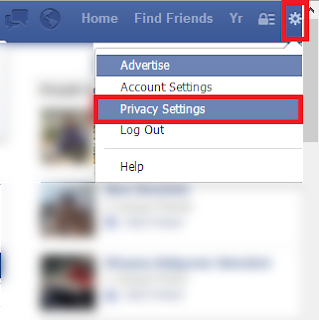
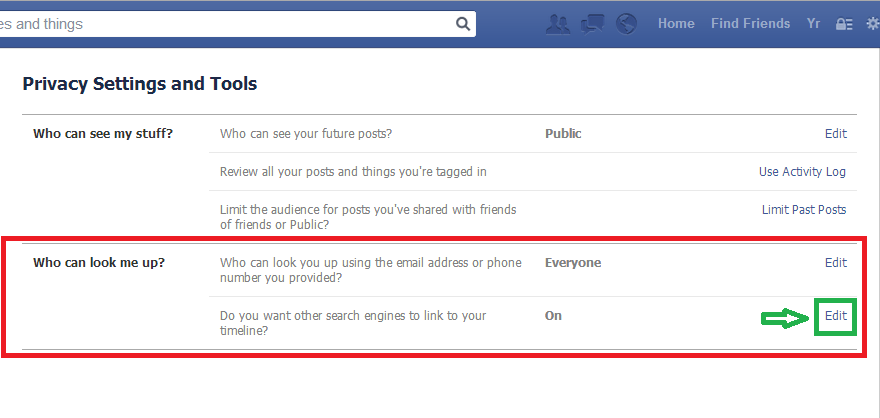
How to prevent your Facebook account from appearing in Google and other search engines

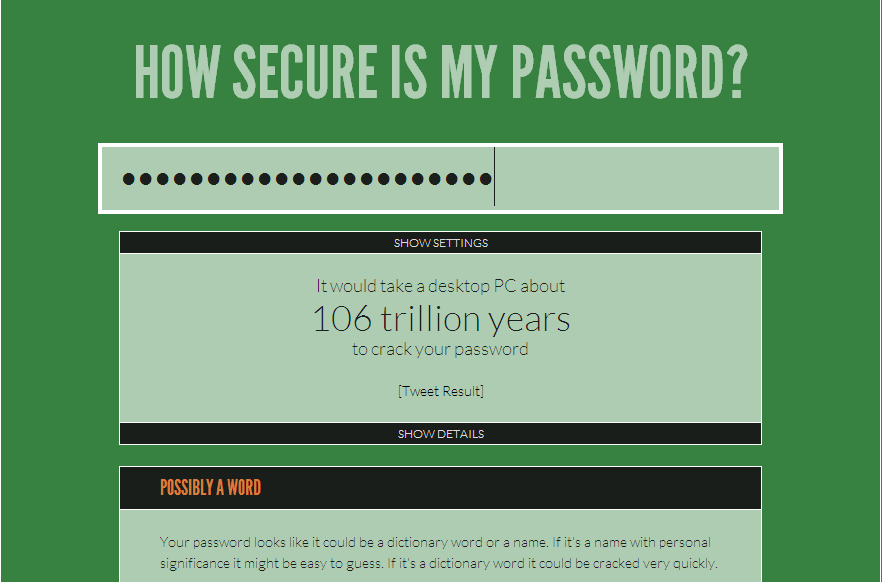
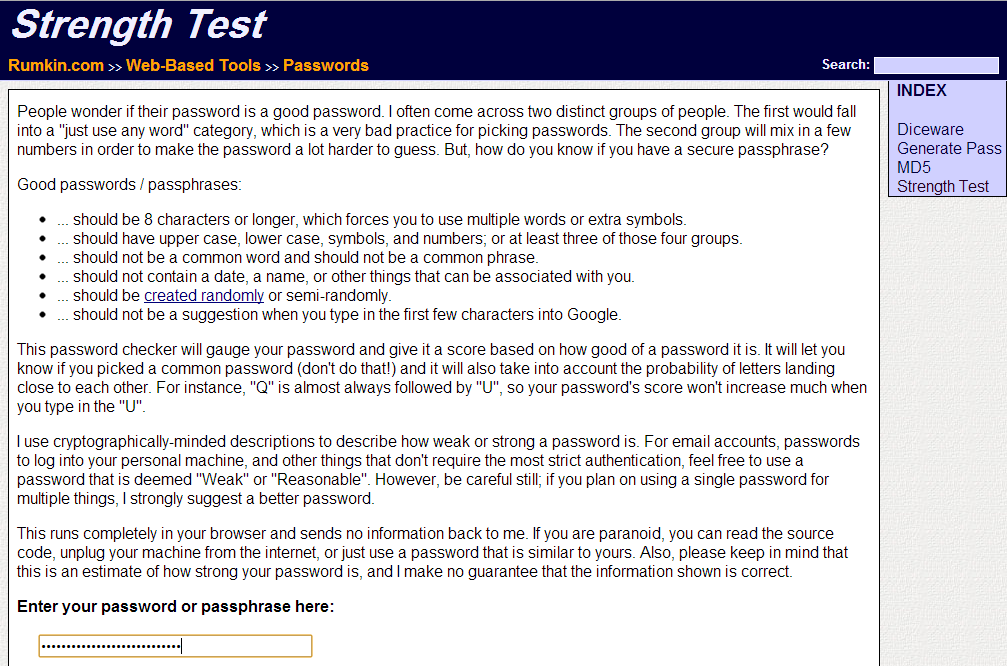
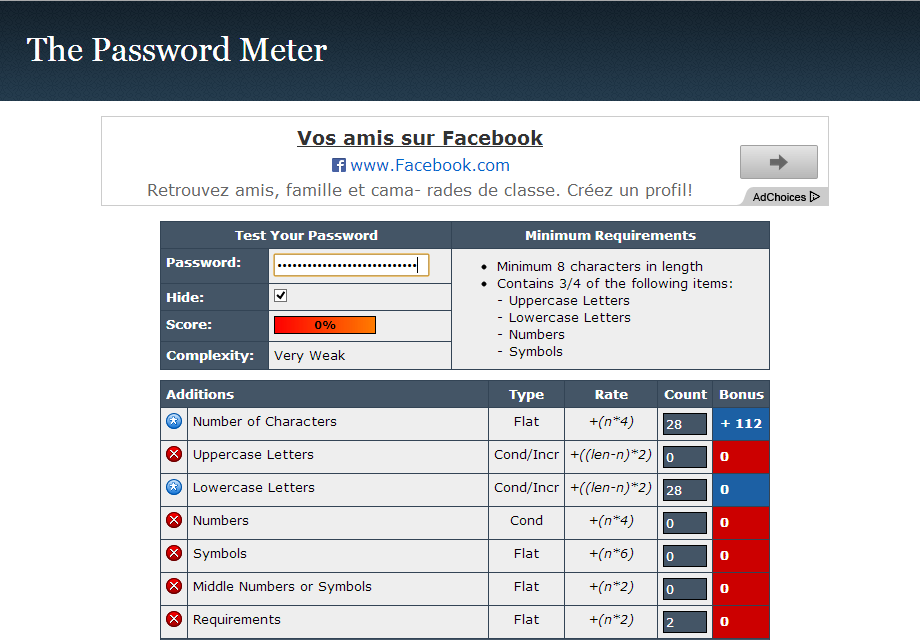
5 sites to check the strength of your passwords


Without a shadow of a doubt that Strong passwords are the most common way and secure to protect your computer and Accounts online piracy, especially with the presence of programs to guess passwords the piece must put a password long and strong in the following top 5 sites to examine the strength of your passwords.
 

How do I prevent Facebook applications in your account

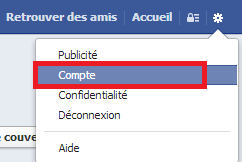
Are you fed up calls from friends you to and install the Facebook applications and games thatare not of interest to you and you want to prevent those applications that are published inyour account and your wall continued subject to know how to prevent your name appears in those applications and therefore will not converge any calls in your wall.


Log on to your Facebook account and go to Compte.


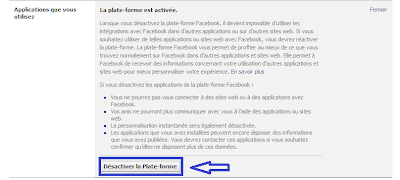
Then click on Apply, and then in the application of the use of press Edit.


Then press Disable. 


Here ends our topic thank you

Impress your friends with great additions to chat on Facebook


How to send files up to 1 GB on Facebook

ارسال ملفات عن طريق الفيسبوك


Are you thinking of a way to send large files to friends. Did you send by e-mail or send via Skype. Well now Pipe application allows you to send files up to 1 GB by Facebook even if not connected at that moment. He explained the application.

Log on to your account on Facebook and enter to link the application:
Pipe
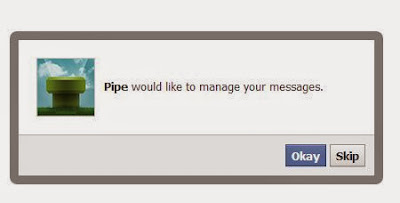
Give permission for the implementation of the road for pressing OK.


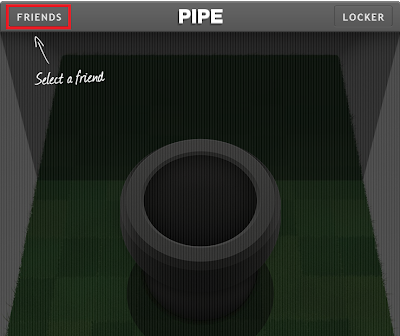
Select a friend who would like to send him the file.
At the top left click on FRIENDS

ارسال ملفات عن طريق الفيسبوك


To send the file, press the tube in the middle of the application and selectthe file that you would like to send

ارسال ملفات عن طريق الفيسبوك


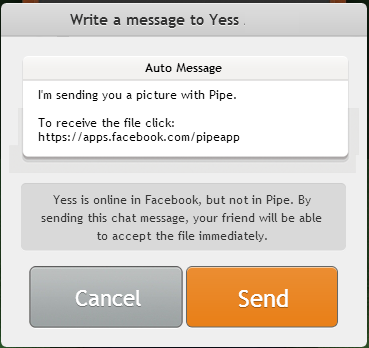
When selecting the file, press Send.
You can also include a message with the file.
 

How do you change the background of the login page Facebook


Tired of the login page for Facebook usual? That you can now also change the background of the login page of Facebook and make it more attractive. We will do this by adding the Google Chrome browser

- Log into the store Google Chrome browser and download tool for changing the login page for Facebook from here >>>fb-refresh

- After you install Added restart your Google Chrome browser
- Now, go to Parametres then extention

- Click on the options added in and put the URL of the image or select an image from your computer
There are also many features you can modify them and when finished Click the save


Added only works in Google Chrome